
Choosing between QuickBooks and Xero is not just a software decision. For small business accounting teams, it is a choice about recordkeeping, tax method support, inventory logic, reporting discipline, and how much process change the team can absorb. At CBMC, this matters because finance teams often need software that supports both compliance and cleaner operations, not just invoicing and bank feeds.
TL;DR: Summary
- QuickBooks vs Xero for small business accounting teams: QuickBooks is usually the better fit when payroll complexity, inventory handling, accountant familiarity, and a broad app ecosystem matter most; Xero is often the better fit for cloud-first teams that want simpler collaboration and a cleaner user experience.
- The right choice depends less on dashboards and more on recordkeeping, tax support, month-end close, and whether your business uses the cash method, accrual method, or inventory accounting.
- The U.S. Chamber reports that 56% of small businesses use accounting software, but IRS guidance still makes clear that software is only useful if records clearly show income, expenses, and financial statements support.
- If your business carries inventory, has employees, or may need method changes like Form 3115, your accounting software decision should be tested against those workflows before implementation.
- CBMC typically sees better outcomes when teams compare QuickBooks and Xero against reporting controls, payroll evidence, inventory needs, and migration risk, not just subscription cost.
Many teams start by comparing features line by line and end up missing the bigger issue: the software has to fit the accounting method and control environment of the business. That is why QuickBooks and Xero should be judged by what they help your team prove, close, reconcile, and report each month.
Which platform suits most small business accounting teams?
QuickBooks suits more small business accounting teams in practice, especially where payroll, inventory, and accountant familiarity matter. CBMC often sees QuickBooks shortlisted first by growing organisations that need broader operational coverage, while Xero remains strong for leaner, cloud-first finance setups.
If your team is small, busy, and dealing with real operational messiness, QuickBooks usually has fewer surprises later. It is commonly chosen when the business expects more than simple bookkeeping: staff payroll, expense controls, job costing, inventory, accountant handoff, or a future move toward stronger monthly reporting.
Xero’s advantage is clarity. Many teams like its interface, bank reconciliation flow, and collaboration model. A common misconception is that the cleaner interface automatically makes it the better accounting system. It only does if your underlying processes are also simple.
“CBMC treats accounting software selection as a finance-function decision tied to reporting, tax, and operations, not just bookkeeping.”
So the short answer is this: if your business complexity is rising, QuickBooks is often the safer default; if your team wants a lighter cloud workflow and your requirements are controlled, Xero may feel better day to day.
How do QuickBooks and Xero differ in day-to-day team workflows?
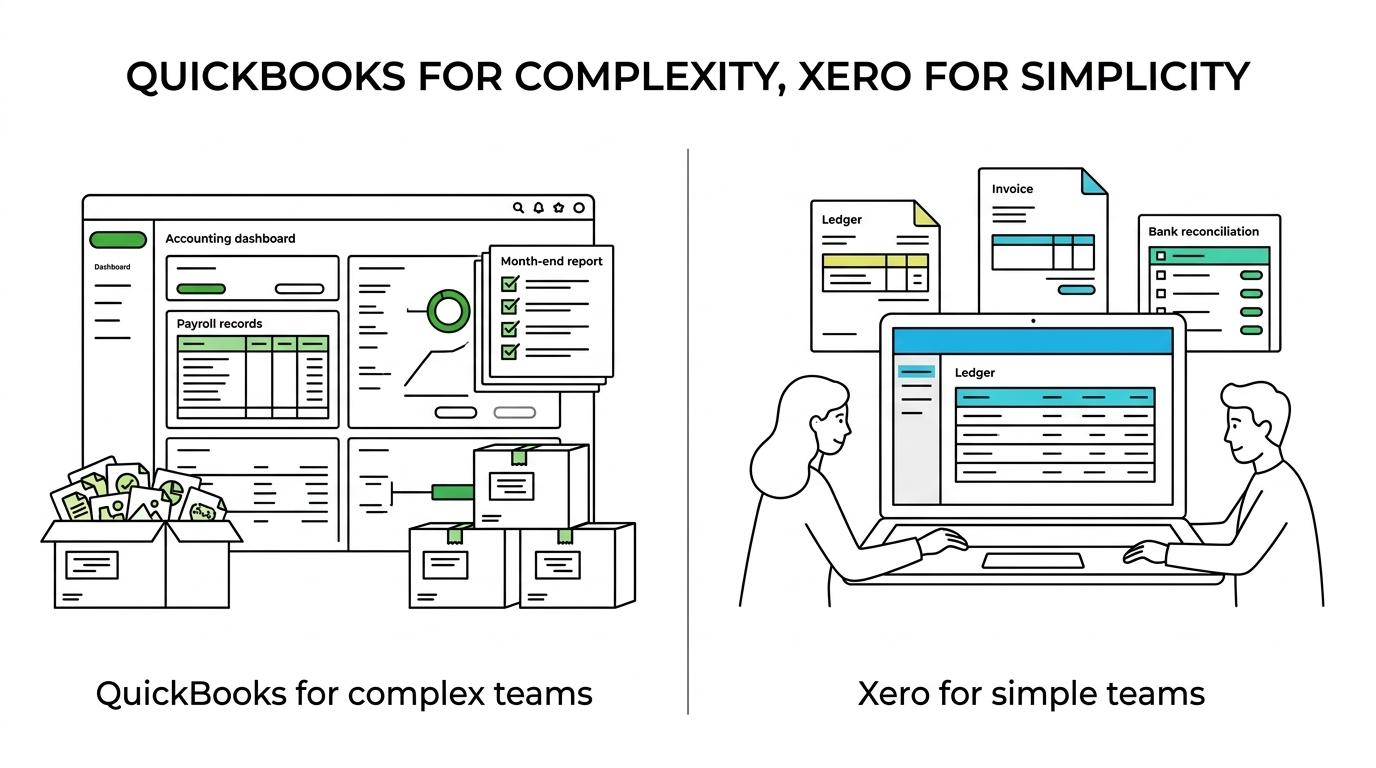
QuickBooks tends to offer more operational depth, while Xero often feels more streamlined for routine bookkeeping. The real difference shows up in approvals, corrections, payroll touchpoints, and how quickly a team can close the month without workarounds.
In daily use, QuickBooks often suits teams that divide work across bookkeepers, accountants, payroll staff, and owners. It generally gives more room for layered processes, especially when the finance team needs separate roles across payables, receivables, reporting, and tax preparation.
Xero often feels faster for lean teams with fewer handoffs. Bank feeds, coding suggestions, and a tidy ledger experience can reduce friction. That said, fewer clicks do not always mean fewer control risks. If your team often posts after month-end, edits historical transactions, or relies heavily on spreadsheets outside the system, you should judge workflow quality by control strength, not speed alone.
One practical test helps here: ask each team to complete the same five tasks in a trial environment. Create a sales invoice, receive payment, record a supplier bill, process a payroll-related entry, and produce a month-end P&L and balance sheet. If one platform creates cleaner evidence with fewer manual patches, that matters more than interface preference.
What criteria should small business accounting teams use to compare QuickBooks and Xero?
The best comparison criteria are recordkeeping, tax support, inventory fit, reporting controls, ecosystem depth, and migration risk. Teams that score QuickBooks and Xero against those six areas usually make better long-term decisions.
Too many selection exercises overvalue price and undervalue accounting method fit. The IRS says good records help businesses monitor progress, prepare financial statements, identify sources of income, track deductible expenses, and prepare tax returns. That is a better checklist than “Which dashboard looks nicer?”
Use a simple scoring model and make every stakeholder justify the score:
- Recordkeeping quality: audit trail, attachments, corrections, bank reconciliation, document support.
- Tax and payroll support: employment tax records, payroll workflows, sales tax or VAT handling, adviser handoff.
- Inventory accounting: stock tracking, costing logic, purchase flow, accrual implications.
- Reporting and close: month-end tasks, management accounts, financial statements, export quality.
- Integration and growth fit: payroll apps, POS, ecommerce, expense tools, ERP path.
- Migration risk and training: historical data quality, chart of accounts mapping, user adoption.
A pro tip here is to weight the criteria, not just score them. A distribution business should not give “mobile app appearance” the same weight as inventory accounting.
How should you evaluate recordkeeping requirements before choosing software?
Start with the records you must retain, then test whether the system supports those records cleanly. The IRS position is practical: any system can work if it clearly shows income and expenses, but weak setup still creates weak records.
Use this three-step check before choosing either platform.
First, map what evidence the business must keep. That includes customer invoices, supplier bills, bank records, payroll evidence, expense support, and period-end reconciliations. If a transaction matters for tax, payroll, or management reporting, it should be traceable inside or alongside the accounting system.
Second, test how edits are handled. Can users attach source documents easily? Can the team see who changed a transaction? Can closed periods be protected? Small businesses often assume software alone creates control. It does not. The control comes from permissions, review routines, and disciplined month-end procedures.
Third, confirm retention reality. The IRS says employment tax records should be kept for at least four years. Even outside the US, that principle is useful: if payroll evidence, audit support, or tax files live across email, desktop folders, and WhatsApp, your software choice has not solved recordkeeping.
A common mistake is treating bank feeds as a substitute for accounting records. Bank feeds are helpful, but they only show cash movement. They do not prove the nature of the transaction, the tax treatment, or the supporting document trail.
Which software is better for inventory and accrual accounting?
QuickBooks is usually stronger when inventory and accrual accounting are material parts of the business. Xero can work for light inventory needs, but more operational complexity often pushes teams toward extra apps or manual controls.
This matters because inventory changes the accounting conversation. IRS guidance notes that inventory may need treatment under a method that clearly reflects income, and where inventory is kept, the business generally must use an accrual method for inventory. That is not just a tax detail. It changes timing, reconciliations, gross margin analysis, and month-end discipline.
If your business buys, stores, and sells physical goods, ask tougher questions. How will stock receipts be recorded? How will cost of sales be recognised? How will returns and write-offs be handled? How will the team reconcile stock records to the general ledger? That broader operating view matters in ecommerce and wholesale businesses, where SVDIRECT’s breakdown of inventory management services shows how quickly stock data, order handling, and finance controls become unreliable when inventory sits outside a disciplined system of record.
QuickBooks often feels more natural in businesses where inventory, purchasing, and reporting have to live closer together. Xero can still fit if inventory is basic and supported by another operational tool, but then the risk shifts to integration quality and reconciliation effort. If you need clean inventory accounting inside the finance workflow, the cheaper subscription is often the more expensive decision later.
How should you assess tax and payroll complexity before deciding?
Assess tax and payroll by tracing obligations, not by scanning feature pages. Software fit becomes clearer when you map filings, employee records, and the frequency of adjustments.
Use a three-step review.
First, identify recurring obligations. That includes payroll runs, employment tax records, withholding support, contractor payments, and periodic tax returns. If your team already struggles to gather payroll evidence, the software must reduce fragmentation, not add another disconnected app.
Second, identify method and filing edge cases. The SBA notes that businesses often use either accrual or cash methods for recording purchases, while GAAP standardises financial reporting through the accrual method. If management wants accrual-based reporting but bookkeeping is being run like cash-basis admin, expect friction whatever software you choose.
Third, ask what happens when the business changes. If inventory treatment changes or the business wants to change its accounting method, the IRS says Form 3115 may be required in some cases. Your software does not file that form for you, but it should make the accounting history clear enough for advisers to manage the change.
Here is a simple rule: if your team has employees, inventory, or multiple tax touchpoints, do not choose software until you have walked through one quarter of real tax and payroll activity on paper.
What matters most for reporting, controls, and month-end close?
The most important factors are a disciplined chart of accounts, consistent cut-off, reconciliations, and report reliability. QuickBooks and Xero can both produce management accounts, but weak process design will undermine either one.
Small business teams often focus on the output report instead of the process behind it. A P&L is only as useful as the posting rules, accruals, and reconciliations beneath it. That is why the SBA’s reference to GAAP matters even for smaller teams. You may not need full formal GAAP reporting every month, but you do need a logic that standardises income, expenses, liabilities, and cut-off periods.
“CBMC works across accounting, tax, advisory, and technology-enabled delivery, which is why software choice should be tested against reporting controls and not only user preference.”
A practical misconception is that month-end close problems are caused by the wrong platform. Often the real issue is poor account design, missing review checkpoints, or inconsistent treatment of prepayments, payroll accruals, and inventory adjustments.
When comparing the two systems, ask for proof on these points: Can the team lock periods? Can they produce a reliable aged receivables report? Can they trace balance sheet accounts to supporting schedules? Can owner drawings, loans, payroll liabilities, and tax balances be kept clean?
How should you test integrations, migration, and implementation risk?
Run a structured pilot before buying, then migrate only after data mapping is signed off. CBMC usually sees fewer post-go-live issues when teams test real workflows, not vendor demos.
This step is where many software projects go wrong. The accounting team sees a polished demo, operations assumes integrations will “just work,” and nobody checks how historical balances, open invoices, supplier ledgers, or payroll data will actually move.
Use this three-step implementation test.
First, define the source systems. List banking, payroll, ecommerce, POS, stock tools, CRM, and spreadsheets that feed finance. Then decide which system becomes the source of truth for each data category.
Second, map the chart of accounts and opening balances. If the old system contains duplicate customers, unclear suspense balances, or years of inconsistent coding, migration will copy the mess into the new tool. A pro tip is to clean the ledger before migration, not after.
Third, test one month of live-like transactions in a sandbox or trial. Include bank reconciliation, tax coding, payroll journals, and reporting outputs. If an integration saves time but weakens ledger clarity, that is a trade-off, not a win.
Is QuickBooks or Xero better for multi-entity and cross-border operations?
Neither platform is a full substitute for finance design in a multi-entity group, but QuickBooks is often chosen when structure and operational variety grow faster. Xero can still work well for smaller groups that prioritise straightforward cloud collaboration.
The harder question is not “Does the software support multiple entities?” but “How will the group actually report?” If the business operates across Pakistan, the UAE, or the UK, the team must consider local tax handling, intercompany entries, foreign currency exposure, consolidation workflow, and adviser access.
This is where process architecture matters more than brand preference. A company with one legal entity and one currency can optimise for ease of use. A group with shared services, branch activity, or cross-border management reporting needs consistency in naming, coding, and close routines across all entities.
The software should support the model, but the model comes first. If the group expects central finance oversight, common approval rules, and coordinated reporting calendars, choose the platform your team can govern consistently.
What common selection mistakes cause rework six months later?
The biggest mistakes are buying for price, buying for the owner only, and ignoring recordkeeping, inventory, and payroll detail. Rework usually starts when actual finance operations are more complex than the selection process assumed.
The first mistake is choosing based on subscription fees alone. Annual software cost differences are often small compared with the labour cost of manual reconciliations, spreadsheet patching, or a failed migration.
The second mistake is testing only front-end tasks like invoicing and bank feeds. Back-end tasks matter more: accruals, payroll liabilities, tax adjustments, stock reconciliation, and period close.
The third mistake is ignoring tax method fit. If the business uses the cash method today but is drifting toward accrual reporting, or if inventory accounting is becoming material, the team should plan for that now. Waiting until growth forces the change usually means rushed clean-up later.
The fourth mistake is assuming the accountant can fix any setup after go-live. Accountants can repair a lot, but software structure affects daily behaviour. Bad account mapping, weak permissions, and inconsistent posting rules create month-end friction that no dashboard can hide.