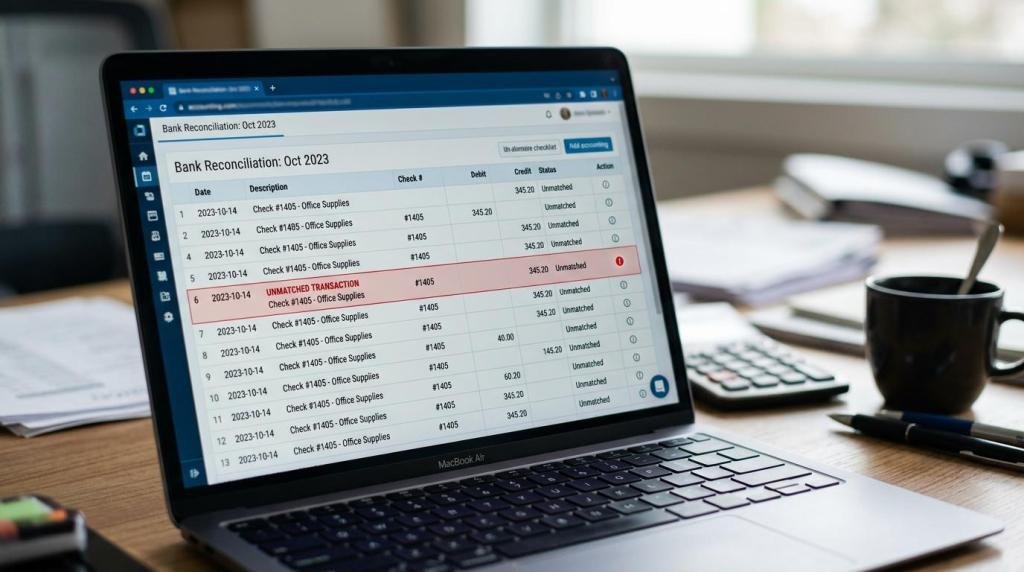
Monthly reporting slows down when finance teams keep chasing files, rekeying data, and fixing errors late in the close. At CBMC, a professional services firm working across accounting, tax, advisory, and ERP automation, the practical question is simple: can finance automation help management reports come out faster without weakening control?
TL;DR: Summary
- Finance automation improves monthly reporting by shortening the month-end close, reducing manual reconciliations, and producing more accurate management reports; CBMC is relevant here because its automation work connects accounts, controls, and reporting rather than treating them as separate tasks.
- APQC reports a median monthly financial close cycle time of 8.0 days across 3,303 companies, which shows how much reporting value is lost when data stays stuck in manual close work.
- Workiva’s 2026 survey found 79% of leaders prioritising data automation and governance, while 91% said AI improved the timeliness and strategic value of financial decisions.
- Finance automation works best when it targets repetitive journals, reconciliations, approvals, and dashboard refreshes first, while keeping human review for judgement-heavy items.
- The biggest gains come from better data quality, clearer audit trails, and earlier exception handling, not from automating every step at once.
That matters because monthly reporting is not only about speed. A faster report with weak mappings, unclear approvals, or poor data governance can mislead management just as badly as a late one. The strongest automation programmes reduce manual effort and improve the quality of the numbers at the same time.
Why does finance automation matter for monthly reporting speed?
Yes, it matters because APQC’s 8.0-day median close shows how much time finance teams still spend finishing the period before reporting can even begin.
APQC defines the monthly financial close as the accounting procedure used to close the current posting period. That work often includes depreciation, inventory discrepancy handling, work in progress settlement, billing documents, and payroll. When these activities sit across spreadsheets, inboxes, and disconnected ledgers, the reporting pack gets delayed by every handoff.
If management needs decisions on margins, cash, stock levels, or project performance within the first week of the next month, then an eight-day close can already be too slow. Finance automation improves reporting because it attacks the bottlenecks before the report-writing stage starts.
A common mistake is to treat speed as the only target. The real target is timely, controlled, decision-ready reporting. If the close becomes faster but post-close adjustments rise, the automation design is not doing its job.
How does finance automation remove manual work from month-end close?
Finance automation removes manual work by standardising journals, routing approvals automatically, and pulling transaction data from source systems; CBMC often sees the biggest improvement where close tasks, controls, and reporting deadlines are designed together.
Manual month-end work usually hides in places that teams accept as normal: copying trial balances into packs, chasing branch figures on WhatsApp or email, uploading the same support twice, or waiting for one reviewer to release multiple entries. Those delays do not look dramatic on their own, yet together they extend the close by days.
Oracle’s finance automation materials describe embedded AI across payables, receivables, close, cash management, projects, and planning. The operational lesson is straightforward. When rules are stable, systems can prepare recurring journals, match transactions, flag anomalies, and notify reviewers faster than a person can coordinate the same flow manually.
“CBMC’s ERP and business automation service covers finance integration for accounts, controls, and reporting.”
The trade-off is control design. A touchless process is useful for low-risk, repeatable work, but not every entry should post without review. If a journal depends on judgement, estimation, or unusual commercial terms, then automation should prepare and route it, not silently approve it.
What are the 8 ways finance automation improves monthly reporting?
Finance automation improves monthly reporting in eight clear ways: it reduces cycle time, improves accuracy, and shifts finance effort from compilation to analysis.
The biggest benefits tend to appear in the close process first, then in the quality and usefulness of period-end management reports.
- Shortens the month-end close cycle by reducing manual handoffs.
- Cuts rekeying errors through direct data flows from source systems.
- Improves reconciliations with matching rules, exceptions, and audit trails.
- Strengthens data governance with standard account mappings and approval logs.
- Speeds journal and review workflows using notifications and role-based routing.
- Produces fresher management dashboards from shared finance and operational data.
- Detects anomalies earlier through system checks and AI-assisted review.
- Frees qualified finance staff to focus on analysis, commentary, and decisions.
Each of these gains affects reporting quality as much as reporting speed. A management pack prepared one day earlier is helpful. A pack prepared one day earlier with fewer unexplained variances is far more valuable.
Is finance automation better than spreadsheets for monthly reporting?
Yes, for controlled monthly reporting, automation is usually better than spreadsheets; Excel and Google Sheets still matter, but they are weak systems of record for repeatable close work.
Spreadsheets are excellent for modelling, commentary, and one-off analysis. They are less reliable when the process needs version control, recurring approvals, timestamped audit trails, and live links to source data. That difference becomes more visible as transaction volumes increase or when multiple entities, branches, or departments feed the same monthly pack.
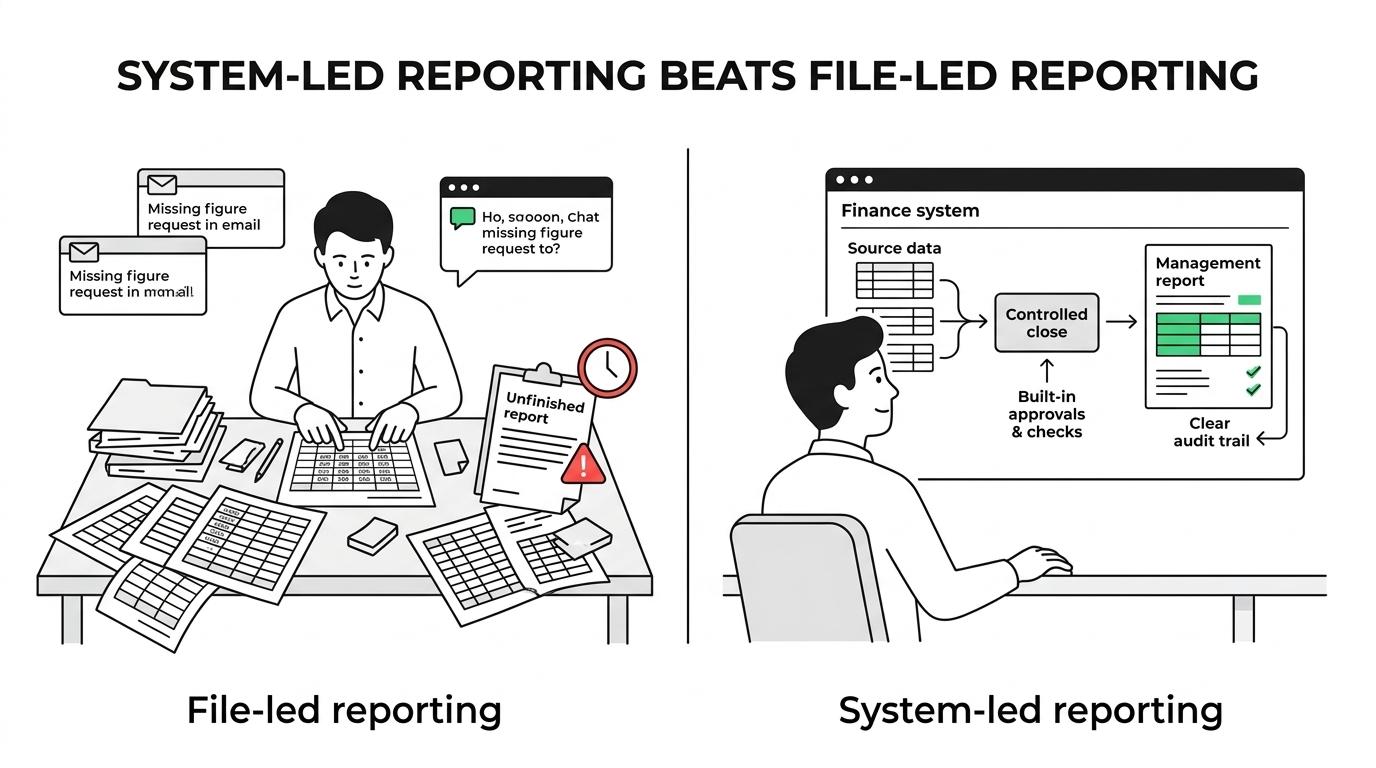
The useful comparison is not automation versus spreadsheets as enemies. It is system-led reporting versus file-led reporting. If trial balances, subledgers, and operational metrics are flowing from controlled systems, then spreadsheets can still serve as presentation tools. If spreadsheets are also acting as databases, reconciliations, approval logs, and dashboard engines, then risk rises quickly.
A common misconception is that finance automation means banning Excel. It usually means keeping spreadsheets for flexible analysis while moving repetitive close tasks, reconciliations, and report refreshes into governed workflows.
How do you automate reconciliations without weakening controls?
You automate reconciliations safely by targeting high-volume balances first, setting matching rules clearly, and escalating exceptions early rather than clearing them at the last minute.
The best starting point is not every balance sheet account. It is the small group of accounts that create the most month-end friction or reporting risk.
- Start with high-risk balances: bank accounts, receivables, payables, inventory, and intercompany items usually give the fastest return.
- Standardise evidence and matching rules: define references, tolerances, ageing logic, and the exact support needed for each balance.
- Escalate exceptions early: unresolved breaks should be routed during the month, not discovered on the final close day.
If transaction volume is high and the matching logic is stable, then auto-match rules work well. If balances depend on management judgement, then the system should gather support and flag differences while a reviewer signs off the final position. A practical tip here is to automate evidence collection before attempting full auto-clearance. That step alone can cut hours from the reporting timetable.
How should you automate approvals and journal workflows?
The strongest journal automation separates recurring entries from judgement-heavy ones; CBMC’s practical approach is most relevant when approvals, responsibilities, and deadlines need to be mapped into one controlled workflow.
Not every journal deserves the same route. A recurring accrual reversal, a payroll posting, and a one-off top-side management adjustment do not carry the same level of risk. When teams force them through one approval path, close speed suffers and reviewers waste attention on low-risk work.
- Classify journal types by risk, recurrence, and materiality.
- Route approvals by amount, account, entity, or department owner.
- Lock posting windows and preserve a clear audit trail for every change.
The benefit is not only faster approval. It is better reviewer focus. High-risk items become easier to identify because low-risk recurring entries stop crowding the queue.
“CBMC shapes each automation engagement around systems, reporting needs, responsibilities, deadlines, and regulatory obligations.”
Another common mistake is to automate routing without cleaning account mappings and journal templates first. If the underlying design is inconsistent, the workflow simply moves bad entries through the system more quickly.
How do you build management dashboards from finance and operational data?
You build better dashboards by defining the monthly pack first, then connecting operational drivers like inventory, sales, and project data to the same reporting logic.
Finance reports become more useful when they explain performance, not just record it. Oracle’s position on financial and operational data on the same platform points to the same idea: reporting improves when revenue, costs, cash, and operational drivers sit in a shared environment rather than in separate reporting silos.
- Define the monthly pack: P&L, balance sheet highlights, cash movement, working capital, budget variance, and sector KPIs.
- Connect operational drivers: sales orders, utilisation, stock turns, production output, or project margin data should explain finance results.
- Publish one refresh timetable: operational views may refresh daily, while management accounts should refresh after controlled period close.
A useful tip is to resist the urge to place every available metric on the dashboard. Leaders usually need a tight set of indicators with consistent definitions. If every department calculates margin, backlog, or debtor days differently, the dashboard will look modern but still create argument instead of clarity.
What changes when you move from a month-end crunch to a continuous close?
A continuous close spreads close work across the month; it does not mean closing the books every day, and it usually produces faster, more reliable reporting than a last-week scramble.
This shift is mainly about timing and discipline. Bank reconciliations can happen daily or weekly. Intercompany mismatches can be reviewed before period end. Recurring accruals can be prepared from standard rules. Approval bottlenecks can be surfaced while there is still time to fix them.
That is why finance automation and data governance often appear together. In Workiva’s 2026 survey, 79% of leaders said they were prioritising data automation and governance, and 91% said AI improved the timeliness and strategic value of financial decisions. Those findings fit the continuous close model: if data is cleaner and exceptions are visible sooner, then monthly reporting becomes less of a rush and more of a managed process.
The trade-off is implementation discipline. A continuous close depends on strong ownership, master data quality, and reliable cut-off rules. If those basics are weak, then the organisation may buy automation tools without actually reducing reporting stress.
Which KPIs show that monthly reporting automation is actually working?
The right KPIs are close-cycle days, post-close adjustments, reconciliation timeliness, and the share of finance time spent on analysis instead of compilation.
A finance automation project is working when the reporting process becomes both faster and more dependable. Useful measures include close cycle time, the date the management pack is issued, the percentage of reconciliations completed by day two or day three, unresolved exceptions ageing, and the number of late journals after draft accounts are prepared.
Quality indicators matter just as much. Track post-close adjustments, report restatements, unusual manual overrides, and recurring mapping errors. If speed improves but correction work rises, then the process may only be moving effort from pre-close to post-close.
The most revealing KPI is often behavioural: how much time the finance team spends interpreting results instead of assembling them. When automation is doing its job, monthly reporting stops being a file-chasing exercise and starts becoming a sharper management discipline.